How to play PewPack
PewPack is a free 2D shooter for you and your friends. Strap on a jetpack, grab whatever gun is lying around and try to stay in the air. It plays in the browser on phones and computers, so anyone can join, with no download and no account.

Start a game
On the title screen, pick Practice to play against bots, Challenges for short rounds with stars to earn, or Play with friends to make a room.
Practice
Practice puts you on Red with two bot teammates against three bots on Blue. With Mode set to Free for all, it's everyone for themselves with five bots. On Auto the bots adjust to how you play: they ease off while you keep dying and sharpen while you win. Easy, Normal and Hard keep them at one level. Tap Map to pick one of the five maps, or leave it on Random. The bots go by names like Jalebi, Momo and Dhishoom, so don't take it personally.
Challenges
Twelve 2-minute rounds against bots, each counting one thing, like headshots, sniper kills or seconds alive. Reach its targets for up to three stars. A star on one opens the next, so they get harder as you go. Each round opens with its targets on screen and a 3, 2, 1 countdown, and the clock and the bots wait for Go. Your count and the clock sit at the top while you play, and your best for each is saved on your device.
Play with friends
Choose Play with friends, check your name, then Create a room. You get a four-letter code and an invite link. Friends open the link, or type the code under Join, on a phone or a computer.
- Up to 10 players fit in a room, bots included, and the host can add Easy, Normal or Hard bots to fill it.
- The host picks the map and the match: First to 10 kills, 5 minutes where the most kills wins, or Endless until the host ends it.
- Any match can be Red vs Blue. Teammates can't hurt each other, and the first team to 30 kills wins.
- Friends can join in the middle of a match. If your connection drops, you get back in within a minute, with your score.
- The host's device runs the match, so the host keeps PewPack open on screen while everyone plays.
Controls
| Action | Keyboard and mouse | Touch |
|---|---|---|
| Move | A and D | Left thumb |
| Fly | W | Push the left thumb up |
| Aim | Point the mouse, or use the arrow keys | Right thumb |
| Shoot | Click, Space or Enter. The arrow keys shoot as they aim | Push the right thumb to the edge |
| Throw a grenade | E or right click | Grenade button |
| Swap guns | Q or scroll | Swap button |
| Pick up a gun | F | Take button |
| Zoom | Z | Zoom button |
| Reload | R | Reload button |
| Pause | Esc | Pause button |
On a phone, Settings can switch to a fire button instead of the stick, change the button size and how see-through they are, flip everything for left hands, and let you drag each button where you want it. Aim assist gives thumbs and arrow keys a little help, and Settings can turn it off. Android phones also buzz when you're hit, get a kill or a blast goes off near you, and Settings can turn that off too.
Guns
You start with a pistol and an empty slot. The other guns lie around the map: walk over one to grab it. With both hands full, press F or tap Take to swap, and the gun in your hands drops. Map guns come back 12 seconds after someone takes them.
| Gun | Shots | Good for |
|---|---|---|
| Pistol | 12 | Your starting gun, and the one you keep when you die |
| SMG | 32 | Close fights. Fast, but weaker far away |
| Rifle | 30 | Middle range, with a 1.3x zoom |
| Shotgun | 6 | Up close. It hits hard and falls off fast |
| Sniper | 5 | Long shots, with a laser and up to 2x zoom. A headshot always kills |
| Rocket launcher | 3 | A direct hit kills, and the blast hurts anyone close. It can't be reloaded |
| Grenades | 3 a life | Throw them over cover. They go off after 1.6 seconds |
Headshots do extra damage, up to double with the sniper. The rocket launcher is rare: it first turns up 45 seconds into a match, in the middle of the map, and comes back a minute after someone takes it. Fire it at your feet to rocket jump.
Maps
Each map plays its own way and has its own look.
Arena
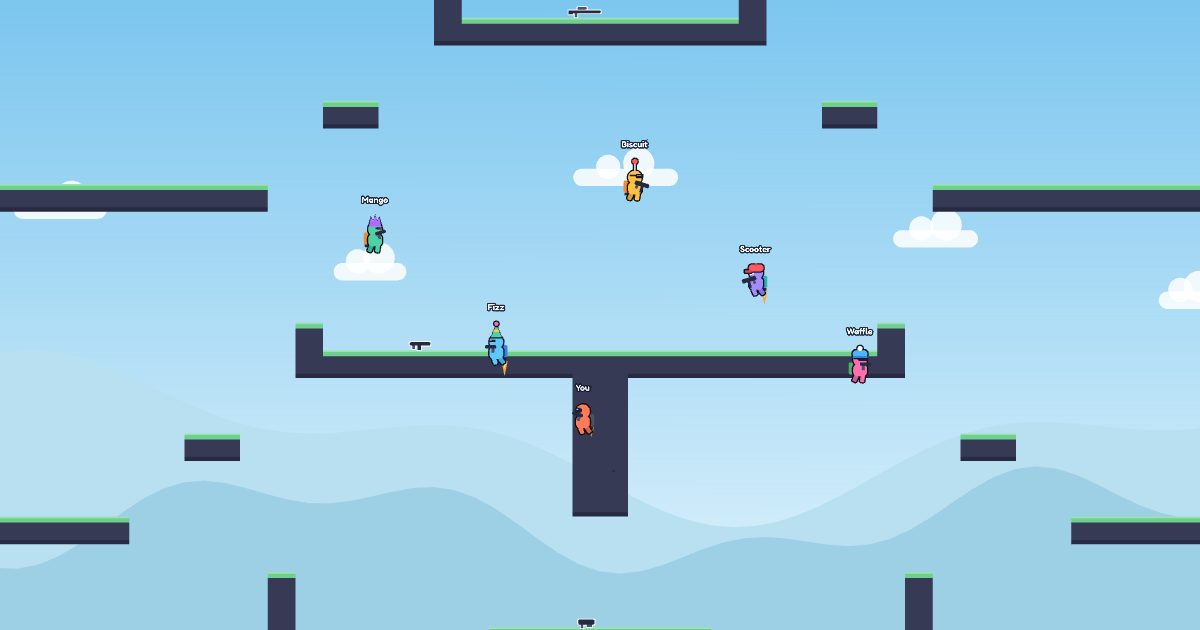
A grassy field with jump pads along the floor that throw you up high, a sniper rifle on the crown up top, and the rocket launcher in the middle.
Caves
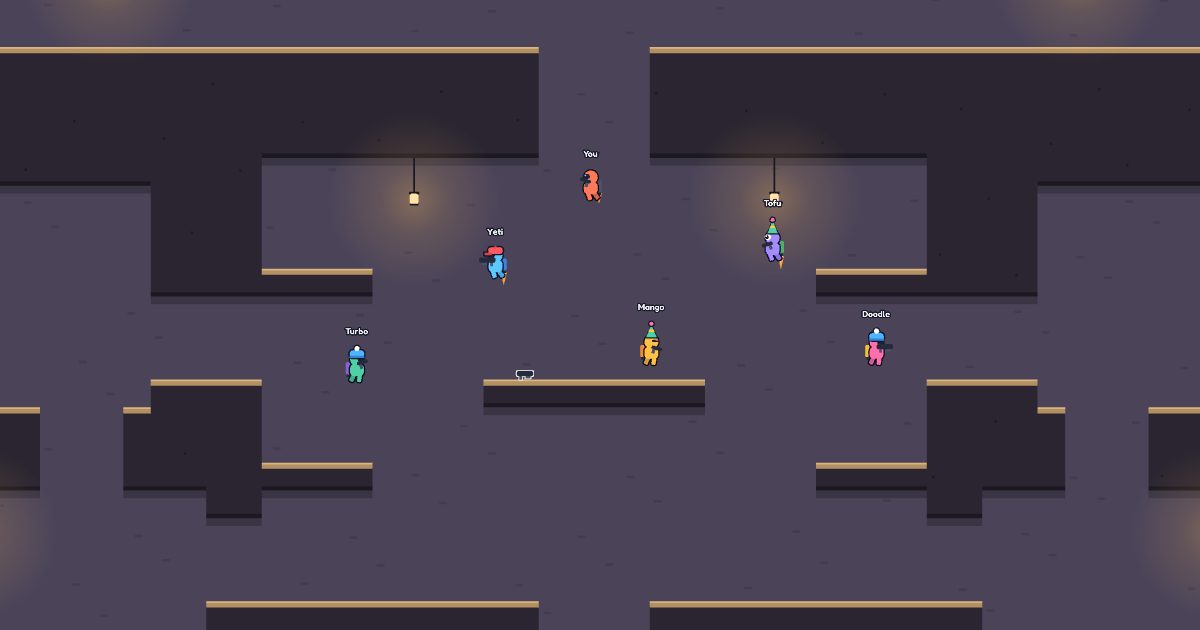
All underground and lit by lanterns. Tunnels, shafts and chambers for close fights, with the rocket launcher in the middle chamber.
Glacier
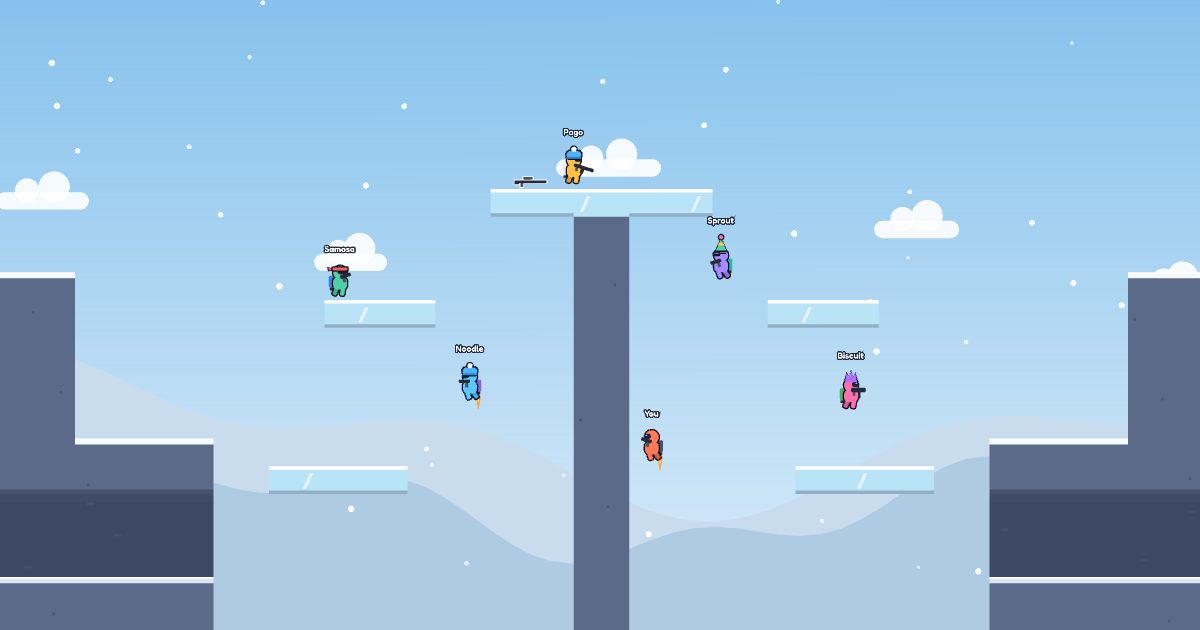
Snowy mountains around a frozen lake. Ice is slippery, so you slide when you land or try to stop, and the icy spire in the middle holds the sniper and the rocket launcher.
Rooftops
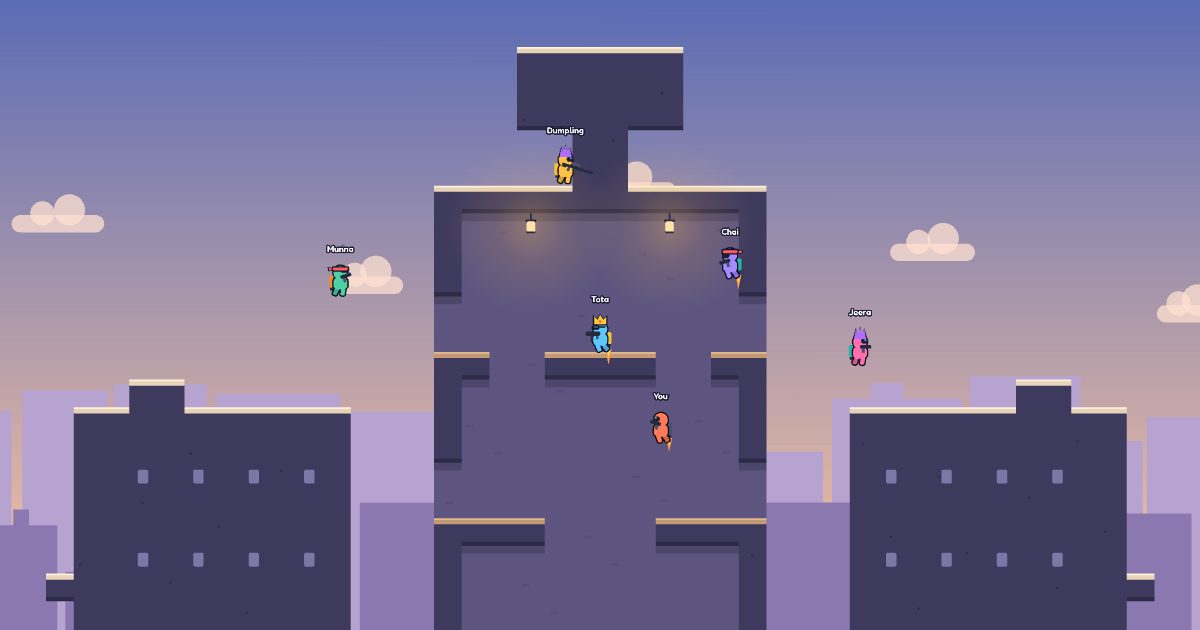
A city at sunset. Fly across the alleys between the roofs, or bounce back up on the jump pads at the bottom. The tower in the middle has the sniper on its water tank and the rocket launcher on its top floor.
Temple
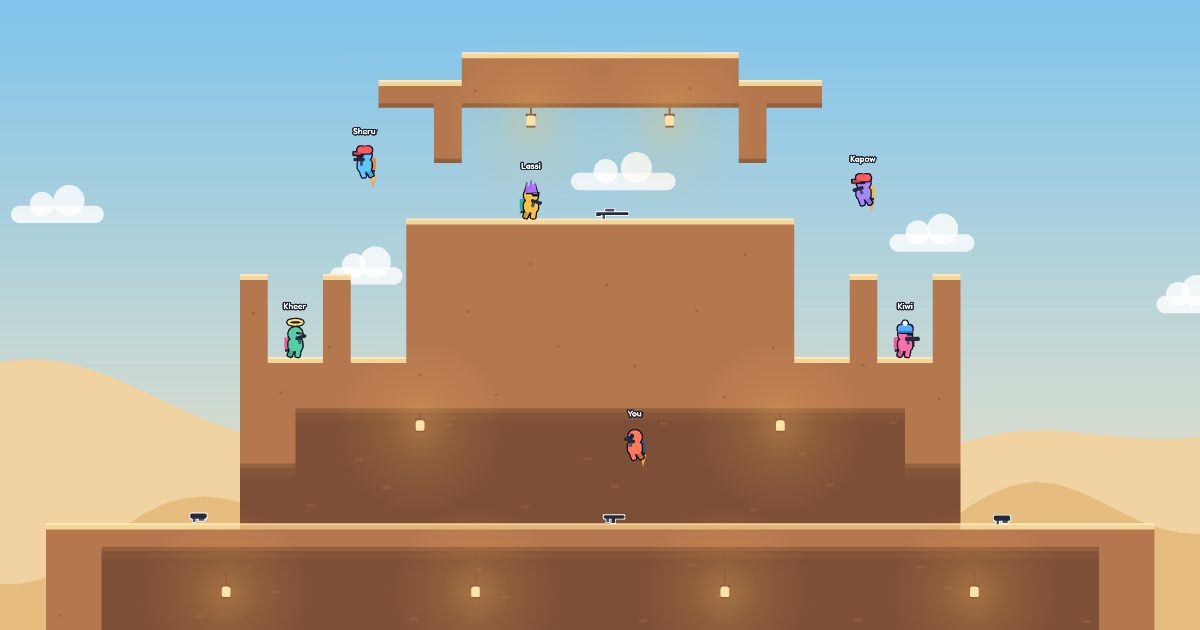
A stepped temple in the desert, with ruins floating over the dunes. The sniper waits in the shrine on top, the rifle in the chamber below it, and the rocket launcher in the hall inside, with a door on each side.
Tips
- Your jetpack runs for about 5 seconds. It refills fast while you stand on the ground and slowly in the air, so land now and then.
- Go 4 seconds without getting hit and your health starts coming back.
- Aim for the head. A sniper headshot always kills.
- You come back 4 seconds after dying. While you wait, the camera follows whoever got you, so you know where they are. Then you're safe for a moment, or until you fire.
- Players drop their gun when they die, unless it's the pistol, so go and grab it.
- Kills close together make a double or triple kill, 3 in a row puts you on fire, and 5 makes you unstoppable.
Your character
Tap yourself on the title screen to pick a color, a hat, a face and a jetpack, with a live preview and a dice for a random look. It's all free, it's saved on your device, and everyone in the room sees it. In Red vs Blue your body takes your team's color, but you keep the rest.
Questions
- Is PewPack free?
- Yes. There are no ads, no accounts and nothing to buy.
- Do I need to download it?
- No, it plays in the browser. On Android you can also get the app on Google Play, and on an iPhone you can open it in Safari, then tap Share and Add to Home Screen.
- Can phone and computer players play together?
- Yes. Anyone with the code can join the room, on any device.
- How many people can play?
- Up to 10 in a room, bots included.
- Does it work offline?
- Practice and challenges do, once PewPack is installed. Rooms need an internet connection.
Google Play and the Google Play logo are trademarks of Google LLC.